

Robotics vision setup and operation
|
|
Robotic vision topics to be discussed
|
|
|
|
Light can come from two types of sources: point sources or diffuse sources.
Point light source examples
- LED light bulb
- The Sun
- Fire
Diffused light source examples
- LED bulb with a filtered lens on a flashlight
- The sky on a cloudy day
- Dome light
Light Lens filtering with colors
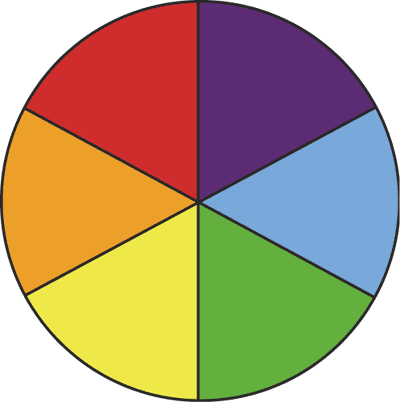
Using various lens colors on lighting can do two things for you. If the lens color is matched with the part color. This will make the object brighter. However if the opposite color Lens is used this will cancel out the color and make the object appear much darker.
Types of lighting available for robot vision systems
- Bright Field
- Dark Field
- Back Lighting
- Diffused Lighting
- Line Light
- Linear Lights
- Ring Lights
- On Axis Lights
- Laser /Structured lighting
- Dome lights
Fanuc Robotics vision program code used
Executing vision system to capture data
VISION RUN_FIND…
This command executes the specified vision process. When iRVision completes the capture of an image, the program proceeds to the next line. iRVision stores the data about the workpiece position it detects in its internal memory on a temporarily basis. Executing the VISION RUN_FIND command again clears the position data detected the last time the command was executed.
Calculating the offset data
VISION GET_OFFSET '…' VR[…] JMP LBL[…]
This command causes the offset data of the workpiece detected by the specified vision process to be retrieved into the vision process. When there is no data to be retrieved, the program jumps to the specified label.
Copiing the offset data to a position register to be offset
PR[….]=VR[…].OFFSET
This command copies the offset data, stored in the vision register, to the position
register.
Copy the model ID to the register
R[….]=VR[…].MODELID
This command copies the model ID, stored in the vision register, to the register.
Robotics vision setup and operation is coming soon