SimPRO software for Fanuc Robotics
Offline programming and simulation (Roboguide)
|
What is SimPRO?
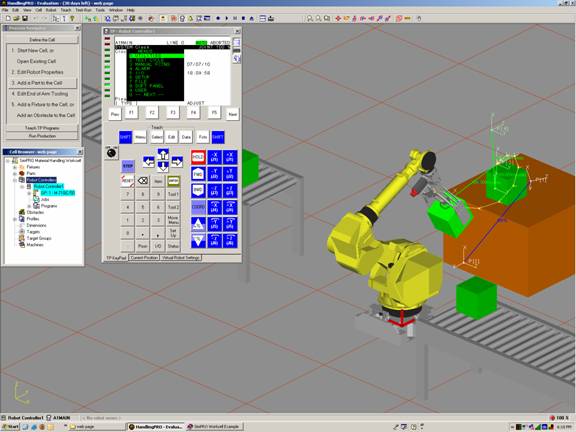
SimPRO software allows users to simulate an entire robotic cell or process in a virtual 3-D space. It is also a great tool to have to learn how to program a fanuc robot and designing the entire cell. The software is designed so that the robot and teach pendant operate exactly like a real robot. The software comes with all the different models and software versions of the robots available to give you the most accurate model.
|
SimPRO Features and benefits
-
Simple robot teaching
Easy creation of robot paths by teaching positions. Select a surface or corner or other feature and create your point data or program with the standard teach pendant.
-
Check Robot reach or interference
Prevent damage to the actual robot by testing it in SimPRO first
-
Built-in CAD models
Includes many commonly used fixtures, tables, conveyers and end of arm tools.
|
|
-
Import of CAD and IGES files
take all your equipment in the cell and load into SimPRO for the most accurate virtual robot simulation
-
Optimization
Drag your points around the cell to quickly generate a more efficient and the best path.
-
Add any robot option
to the virtual robot and see what it does and how it works before your purchase it.
-
Import a backup of your robot
Creates an exact replicate model of your robot configuration and programs
-
Learn how to program robots
the best tool out there to use. Its an exact replicate of an actual robot.
-
Animation AVI
Record a full video simulation to present, clarify, justify or quote a project.
- Cad to path
New feature Fanuc recently added that can be used to automatically generatepaths based on the features within the CAD model.
Click here to see a Fanuc Robotics Simpro video example of a pick and place application |
|
Note: Although this is an indispensable tool to have. It does have some bugs that somtimes crash the software so be sure to save often until they are worked out. Also make sure you check for updates regularly.
|
|
|