CNC Machine Help-Home

Applications & Programming
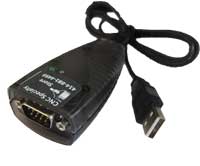
RS232 communications
Macro programming
Macro variable list
Programming safety code
Coolant mix water problems
Finish, chatter problems
Tapping problems
Common Parameter changes
Drill tap chart
Tool presetter calibration
Create a new NC program
Fixture design considerations
Tool breakage detection
Unit conversion software
End mill training education
Touch or tool probe systems
G10 parameter change
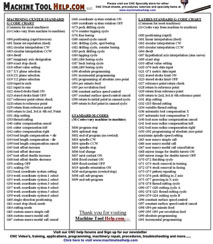
G codes, M codes List (General)
Okuma G & M codes list
Haas G code, M code list

Rotary Indexer selection
High pressure coolant
Coolant oil skimmers
Tool breakage detection
Machine tool Options


**CNC help Forums**
Newest recent content
CNC Books Store
CNC Specialty STORE (New!!)

Classifieds (buy/sell-Free)
Search

Newsletter sign up

Free trade magazines


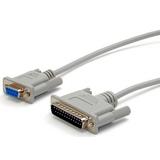
RS232 cables


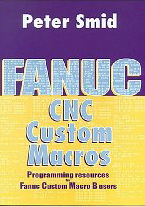
Fanuc Macro Programming example macro programs

Custom Macro programming Fanuc and Mitsubishi examples

Multi start threading macro program

Letter engraving macro

Circle milling Macro

Fanuc Macro Programming

Peck Drilling macro (Variable depth adjustment)

Load monitoring Macro

Tool Change Macro program

Pallet change confirm Macro program

Tool life macro program Macro A

Part counting when using M99 (Example bar feeders)

List of macro variables

Mitsubishi / Fanuc Macro programming parameters to edit 9000's

  1. Fanuc macro edit on 16/18/21 & 16i/18i/21i-Parameter 3202 (NE9 will be above the proper bit #) (6079-6089 can be assigned an m-code or G code to call up the sub programs) (Parameter 6080=program #9020, 6081=9021, 6082=9022 ETC.)
  2. Mitsubishi Macro Edit 9000 programs change par.1121 to 0 , and check 1122 should be 0 to display them.

CNC parametric programming

Will be adding more information shortly. Please check back later.

In order to use this option on your machine you must have the custom macro B option from Fanuc.


Share your CNC information?
...Procedures
...Macro programs
...Experience
...Stories
...Articles
...Recommendations
...Anything related

Suggestions or comments?
Please Email Me: petro@machinetoolhelp.com

Thank you for all your contributions and supporting the CNC community.


.