



Troubleshooting Servo Drive Alarms |
||
Overcurrent, detection and deviation/droop, servo error, etc. |
If yes, check these things |
|
|
Turn only the main breaker on for the machine look at LED displays on drives. |
Does the Led Display come up? No, check power supplied to it. Is the alarm come up on the drive before the front control comes up? Then its probably a drive. This eliminates motor and cable. Occasionally the motor or cable can take out the drive. |
|
If alarm is present on drive call the control manufacturer |
Take 10 minutes and call them to ask there opinion it is usually free. |
|
|
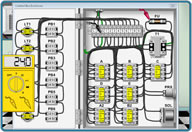
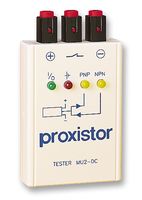
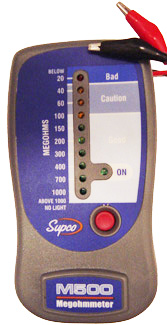
Ohm or Megohm motor and cable (see procedure) |
Replace the motor or inspect cable plugs, (Follow my procedure) |
|
|
Check following error diagnostic or load meter. Is it steady or bouncing. Also handwheel in X1 a little and see if it takes some time to steady. Compare to other axes, some bounce is sometimes present (2-3 for load meter) |
Bind or friction in axis (Follow procedure for detecting load issue.) Rare but sometimes motor or drive. Possible lube problem check for lube if it has ways |
|
|
Check plug connections, motor box, check for coolant contamination. |
Dry out plugs, check follow my servo check procedure to check cables again. |
|
|
Does it alarm close to an overtravel area? Or in the same area? |
Maybe needs gridshift axis could be bottoming out on the cushion. Handwheel away look at load meter then handwheel back. Does the load go up? Is there a cable track that moves the cable for the motor back and forth? Check for damage. |
|
|
Does the axis have a brake on it. Usually to hold against gravity? |
If yes, you can usually see the problem with the load meter. Another quick check is to look at the break. Is there a lot of dust or grinding metal? If you can move the axis some. Try moving back and forth a few times and put your hand on the brake. If it is warm or hot that's your problem. |
|
|
Is it only in feed or in Rapid move? |
Feed- More likely to be a bind. |
|
|
Rapid More likely to be Drive problem unless its an encoder alarm. Then its an encoder. |
||
|
Does it alarm at an abrupt slow down? At end of Rapid move? |
Could be coolant in an electrical box on the motor or on one of the axes. Tends to splash up when it stops quickly. |
|
|
Can you run the program at a slower feed rate without any problems |
Helps determine some of the factors above. |
|
|
If you can run a sample long movement rapid program. Listen for a loud low growl |
Most likely bearings are bad. |
|
|
Is there a hum coming from servo motor? |
Then there is probably a bind in the axis. Push estop pull back way cover and try turning ballscrew by hand. Use rag for grip usually pretty easy to turn and should feel smooth. |
|
|
Put your hand on the motor to see how hot it is? |
If it is warm its ok. If it is too warm or too hot to keep your hand on it then there is a problem. |
|
|
Put hand on Ballscrew? Handwheel then stop? |
If you feel oscillation ounce it stops or is sitting there then you probably have a bind in the axis and it can not position properly. You can also check to see if it bounce with an indicator. |
|
|
Is it a DC motor? |
Check to make sure the brushes are not to worn down |
|
|
Tap on the amphenol plug for encoder or 3 phase with a screw driver to see if it alarms? |
Check for coolant contamination. If it does. Pull on all the wires to make sure pins are latched and seated in the plugs. Then push in on them. Also check inside the plugs two halves, sometimes the inserts arc out in the middle and will short through the plastic and coolant. |
|
|
Move the wires around to the encoder or 3 phase motor inside the tracking to see if it alarms also make up program to move only that axis and move while its moving. |
Cable problem |
|
|
|
||