BACK TO MAIN INDEX

Troubleshooting
 

DC motor problems
Troubleshooting approach
Axis load or binding
Servo & Drive alarms
Servo motors testing
Pulse coder alarms
Emergency stop can't clear
Electrical Shorts
Way Lube problem
PLC troubleshooting & testing
Prox/Limit switch testing
Solenoid/relay/contact/testing
Low voltage at device
Power up problems
Zero Return problems
Power supplies
Axis brakes
Door interlock circuit problems
Chuck will not clamp/unclamp

Testing tools & equipment

Buying megohm | megger meter
Phase rotation tester types
Drawbar force dynamometer

Alarms

Mitsubishi drive M65 alarms
Alarm trouble Questions
Excess following errors


  **CNC help Forums**
Search
CNC Book Store
Machine shop Store


Door interlock circuit and safety interlock module troubleshooting and tips

What you should check in your safety circuit?

  1. Make sure all door interlock keys are fully engaged at rest position

  2. Check the interlock modules in the control cabinet. Usually there are LEDs that may help you troubleshoot the circuit

  3. Check the interlock release keys on the interlock units are turned to the proper position. Also try removing the keys, vibration can often turn the keys prematurely.

  4. Check the and tighten all connections on the interlock modules and switches. Also follow the wires if possible through the interlock modules to find out which contactors to tighten up the terminals.

  5. Check the biggest contactors in the cabinet which power on the three phase. These usually have a lot of vibration because of the size and the wires tend to loosen up which also commonly go through the interlock circuitry.

  6. Next you could trace back through ladder diagram which can be tough and may not give you much information since the main part of the interlock is hard wired through the interlock modules.

Notes on some safety interlock modules

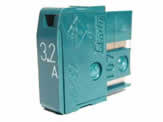
Elan type red square interlock boxes often have 4 Green LEDS on them with a fuse in the middle. The top two LED's should always be green. If A1 and A2 have power the top left will be lit. If top light is not lit then the fuse in the face of the unit is most likely blown. The other two LEDs depend on machine states.

GENERAL DISCLAIMER:
All data on this website is provided without charge or obligation by myself or anyone else who contributes to this site. It is the responsibility of the reader to perform any action outlined here in a safe and responsible manner. The reader assumes all responsibility for service or actions taken as a result of the information contained here. We assume no responsibility for personal or property damage, any type of monetary losses or losses caused directly or indirectly from the material provided in this Web page or any pages contained within the Website. If this site has been translated into another language, we are also not liable for how the site content has been translated.
Click here for full disclaimer and terms

HELP US IMPROVE
THIS WEBSITE..!!

Earn $20 by creating a
CNC procedure! 
Click here for more details.

Share with everyone?
...Procedures
...Macro programs
...Experience
...Stories
...Articles
...Recommendations
...Anything related

Suggestions or comments?
Please Email Me: admin@machinetoolhelp.com

Thank you for all your contributions and support.